
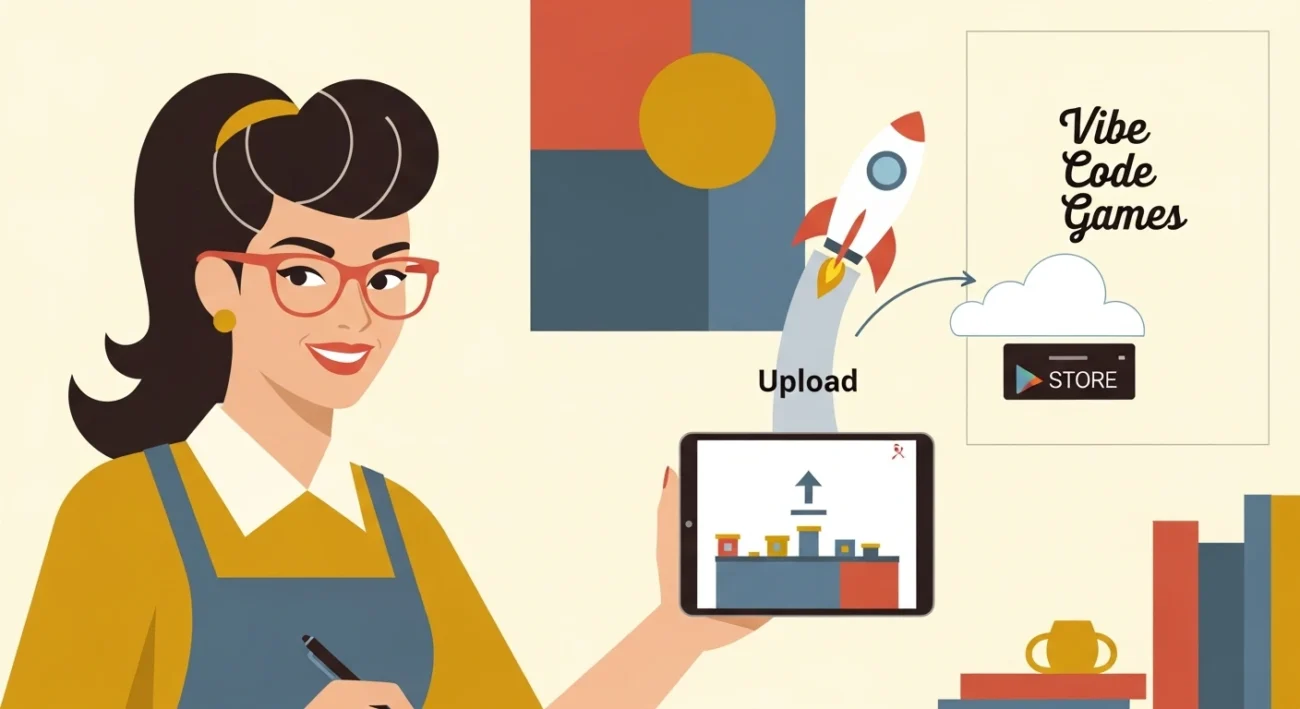
TL;DR: Key Takeaways
Reading time: 16 minutes
- “Vibe Coding” means acting as a Product Manager for AI, not typing syntax.
- The 2026 stack is typically Cursor (for code generation) + React Native or Godot.
- You can generate game assets (sprites, sounds) using AI tools instantly.
- Apple App Store requires a $99/year fee; Google Play is a $25 one-time fee.
- The hardest part is not the coding; it is the App Store compliance and review process.
- Start with a simple 2D concept (idle game or puzzle) to learn the deployment flow.
Table of Contents
- What is Vibe Coding?
- The 2026 Tech Stack for Non-Coders
- Prerequisites & Budget
- Step 1: Ideation and the “Vibe” Prompt
- Step 2: Generating Assets with AI
- Step 3: The Build Workflow (Cursor/Replit)
- Step 4: Testing and Iteration
- Step 5: Apple App Store Deployment
- Step 6: Google Play Store Deployment
- Monetization: Getting Paid
- Common Mistakes to Avoid
- Bottom Line
- Frequently Asked Questions
The barrier to entry for game development has not just been lowered; it has been obliterated. In the past, if you wanted to build a mobile game, you needed to learn C# for Unity, Swift for iOS, or Java for Android. You had to understand memory management, collision detection algorithms, and complex state machines.
In 2026, that era is over. Enter Vibe Coding.
Vibe coding is the art of building software by describing how it should feel and behave to an AI, rather than writing the syntax yourself. You are no longer the bricklayer; you are the architect. This shift allows aspiring entrepreneurs and creative thinkers to build polished, functioning games and upload them to app stores without a Computer Science degree. If you can articulate a vision, you can build a game.
This guide is a comprehensive deep dive into how to vibe code your first mobile game, from the initial prompt to the moment you hit “Submit” on the App Store Connect dashboard.
What is Vibe Coding?
Vibe coding is a term that gained traction around 2024-2025, referring to a workflow where the human developer relies almost entirely on Large Language Models (LLMs) to write code. The “vibe” part refers to the semantic nature of the instructions. Instead of saying “Create a loop that iterates through array X,” you say, “Make the movement feel bouncier” or “Give the UI a retro vaporwave vibe.”
The AI interprets these qualitative descriptors and translates them into quantitative code (e.g., adjusting physics friction values or changing CSS gradients).
Why It Works for Games
Games are inherently visual and feeling-based. Describing a “floaty jump” is easier for a human than calculating gravity vectors. Modern AI coding assistants like Cursor or Replit have become so advanced that they can understand these high-level requests and implement the necessary math in the background.
The 2026 Tech Stack for Non-Coders
To vibe code effectively, you need the right tools. We are not using Notepad here. You need an “AI-Integrated Development Environment” (AIDE).
The Engine: Expo + React Native
For 2D games (puzzles, card games, idle tycoons), React Native with Expo is the best stack for vibe coding. Why? Because LLMs are incredibly good at JavaScript and TypeScript. They have seen more web code than any other type of code. This stack allows you to build for both iOS and Android simultaneously from a single codebase.
The Coder: Cursor
Cursor is a fork of VS Code with AI baked into the core. In 2026, its “Composer” feature allows you to edit multiple files simultaneously. You can say, “Add a health bar to the player and make the game over screen show the final score,” and it will modify the Player component, the UI component, and the Game State manager all at once.
The Asset Generator: Midjourney / Recraft
You need graphics. Midjourney or specialized tools like Recraft.ai allow you to generate consistent sprites and UI elements. You no longer need to hire an artist for your MVP (Minimum Viable Product).
Prerequisites & Budget
Before we start building, let’s look at what you need to have in place.
Hardware
Mac vs. PC: You can vibe code on any machine, but to publish to the Apple App Store, you must have access to a Mac to use Xcode for the final upload. If you don’t have one, you can use a cloud service like MacinCloud, but owning a MacBook Air (even an older M1 or M2) is highly recommended for indie devs.
The Budget Breakdown
| Item | Cost | Frequency |
|---|---|---|
| Apple Developer Program | $99 | Per Year |
| Google Play Console | $25 | One-time |
| Cursor / AI Tool | $20 | Per Month |
| Expo (Development) | Free | – |
| Total Start-up | ~$145 | Upfront |
Step 1: Ideation and the “Vibe” Prompt
The most common mistake new vibe coders make is asking for everything at once. “Make me a clone of Clash of Clans” will fail. AI works best with iterative complexity.
The “Core Loop” Concept
Identify the single thing the player does repeatedly. In Flappy Bird, it’s “tap to jump.” In Wordle, it’s “guess a 5-letter word.” Start there.
The Master Prompt
Open Cursor (or your AI tool) and start a new project. Your first prompt sets the architecture. Here is a template that works well for React Native games:
Pro Tip: Use this prompt structure: “I want to build a mobile game using React Native and Expo. The game is a [Genre]. The core mechanic is [Mechanic]. Please set up the initial file structure using best practices for 2026. Use TypeScript. Keep the styling in a separate file. Do not use external game engines yet, just use standard Views and Animated libraries for now.”
Step 2: Generating Assets with AI
Before you get too deep into code, you need visuals. Placeholders (colored squares) are fine for an hour, but to “vibe check” the game, you need art.
Sprite Generation
Go to Midjourney or a similar tool. Use prompts that ask for “sprite sheets” if you need animation, or “ui kit” for buttons.
Prompt Example: “2D pixel art sprite sheet of a space cat running, side view, white background, separate frames –v 6.0”
Once you have the image, use a free tool like Remove.bg to make the background transparent. Save these assets in an /assets folder in your project directory.
Step 3: The Build Workflow (Cursor/Replit)
This is where the magic happens. You will engage in a conversation with your codebase.
Iteration 1: The Mechanic
Ask the AI to implement the basic movement. “Create a player component that is a red square. It should fall due to gravity. When I tap the screen, it should jump up. Use the Animated API from React Native.”
Iteration 2: The Obstacles
Once the jump feels right (tell the AI “Make gravity stronger” or “Make the jump floatier” until it does), add obstacles. “Generate pipes that move from right to left. They should be random heights. When they go off-screen, recycle them.”
Iteration 3: The Game Loop
“Add collision detection. If the player hits a pipe or the floor, stop the game and show a ‘Game Over’ screen with a restart button.”
Handling Errors
You will encounter errors. Red screens of death. This is normal. When this happens, click the “Copy Error” button in the terminal, paste it into the AI chat, and simply ask: “Fix this.” The AI analyzes the stack trace and corrects the code. You don’t need to understand the error; you just need to be the messenger.
Step 4: Testing and Iteration
You cannot test a mobile game with a mouse. It feels different.
Using Expo Go
Download the Expo Go app on your real phone. In your terminal, run npx expo start. A QR code will appear. Scan it with your phone. Your game will load instantly on your device. This is crucial for vibe coding because you need to physically feel the touch controls to give the AI good feedback.
Feedback Example: “The jump feels too delayed. Can we optimize the touch response?” or “The buttons are too small for my thumb, make them 20% larger.”
Step 5: Apple App Store Deployment
This is the intimidating part for many, but we will break it down step-by-step.
1. Create a Developer Account
Go to developer.apple.com and enroll. Pay the $99 fee. It can take up to 48 hours to process.
2. Configure EAS (Expo Application Services)
We will use a tool called EAS Build to handle the complex certificate signing. You don’t need to understand Xcode deeply to use this.
- In your terminal, run
npm install -g eas-cli. - Run
eas loginand sign in with your Expo account. - Run
eas build:configure. Choose “iOS”. - Run
eas build --platform ios.
The CLI will ask you to log in to your Apple ID. It will automatically generate the provisioning profiles and certificates you need. This used to take hours of manual work; now, the robot does it.
3. Transporter and TestFlight
Once the build is done, you will have an .ipa file. Download “Transporter” from the Mac App Store. Drag and drop your .ipa file into Transporter to upload it to Apple.
Go to App Store Connect, select “My Apps,” create a new app, and you should see your build under “TestFlight.” Invite yourself and testing friends to download it. Test thoroughly.
Step 6: Google Play Store Deployment
Google is generally more lenient but requires a different file format (AAB).
1. The Google Console
Go to the Google Play Console and pay the $25 one-time fee. Verify your identity (this can take a few days).
2. Build for Android
Back in your terminal: eas build --platform android. This time, it will generate an .aab (Android App Bundle) file.
3. Creating the Release
In the Google Play Console, create a new app. Go to “Production,” click “Create new release,” and upload your .aab file. You will need to fill out the store listing (title, description, screenshots). Use ChatGPT to help write compelling descriptions with relevant keywords.
Monetization: Getting Paid
You didn’t just build a game for fun; you want to earn. Here are the three main paths for 2026.
Ad Revenue (AdMob)
The easiest path. You display banners at the bottom or “interstitial” videos between levels. Ask your AI: “Install react-native-google-mobile-ads and set up an interstitial ad that shows when the player dies 3 times.”
In-App Purchases (IAP)
Selling skins, extra lives, or “No Ads” mode. This is technically harder to implement. You will need to use a library like react-native-iap or a wrapper service like RevenueCat. RevenueCat is highly recommended for vibe coders because it simplifies the backend logic significantly.
Paid Upfront
Charging $0.99 or $2.99 for the game. This is the hardest model for new developers because getting someone to open their wallet for an unknown game is difficult. Only do this if your game is incredibly niche or high-utility.
Common Mistakes to Avoid
I have seen many vibe coding projects die before launch. Here is why.
1. Scope Creep (The Dream Killer)
You start making a Pong clone, and suddenly you want to add multiplayer, leaderboards, and 3D skins. Stop. Build the simplest version first. Release it. Update it later.
2. Ignoring App Store Guidelines
Apple is strict. If your game is buggy, crashes on launch, or hides features, they will reject it. Also, ensure you have a “Privacy Policy.” You can generate a generic one using free online tools and host it on a Notion page.
3. Not Marketing
Uploading is not enough. You need to post about your development process on TikTok, X (Twitter), or Reddit. Show the “before and after” of your vibe coding. People love seeing the “I built this with AI” narrative.
Bottom Line
Vibe coding has democratized software creation. You do not need to know the difference between a float and a double to publish a hit game in 2026. You just need patience, a clear vision, and the ability to communicate with AI tools.
The technical gatekeepers are gone. The only thing stopping you from having a game on the App Store is your willingness to sit down, open Cursor, and start prompting. Start small, ship fast, and learn from the feedback.
Your first game might not make a million dollars, but it will prove to you that you are a creator, not just a consumer. And that shift is priceless.
Frequently Asked Questions
What exactly is vibe coding?
Vibe coding is a development style where you focus on the high-level behavior and “feel” of an application while an AI (like Cursor or Replit Agent) handles the actual syntax and logic implementation. You describe the outcome, and the AI writes the code.
Do I need a Mac to publish iOS games?
Yes, generally. While you can write the code on Windows, you need a Mac (or a cloud Mac service like MacStadium) to run Xcode, sign the binary, and upload the final build to the Apple App Store.
How much does it cost to publish a game?
Apple charges $99/year for a Developer Account. Google Play charges a one-time $25 fee. Beyond that, your costs depend on the tools you use (Cursor subscription, Replit Core, etc.), but the bare minimum to publish on both is around $125.
Can AI really write a whole game?
For simple to mid-complexity games (puzzles, platformers, idle games), yes. For massive 3D open-world games, no. The AI excels at logic and scripts but struggles with complex 3D architecture without human guidance.
What if the AI code has bugs?
You paste the error message back into the AI chat. In 2026, tools like Cursor have “self-healing” capabilities where the terminal output is read by the AI, which then suggests a fix automatically.
About the Author
Sandy Terrace Team tracks the intersection of artificial intelligence and indie entrepreneurship. They test new workflows for the creator economy so you can build faster. Connect on Twitter.
- 1 TL;DR: Key Takeaways
- 2 Table of Contents
- 3 What is Vibe Coding?
- 4 The 2026 Tech Stack for Non-Coders
- 5 Prerequisites & Budget
- 6 Step 1: Ideation and the “Vibe” Prompt
- 7 Step 2: Generating Assets with AI
- 8 Step 3: The Build Workflow (Cursor/Replit)
- 9 Step 4: Testing and Iteration
- 10 Step 5: Apple App Store Deployment
- 11 Step 6: Google Play Store Deployment
- 12 Monetization: Getting Paid
- 13 Common Mistakes to Avoid
- 14 Bottom Line
- 15 Frequently Asked Questions
